IExpress is the Windows packaging wizard described in the original article. It can create self-extracting packages or CAB archives, with an option to run a selected installation command after extraction.
This is a guide to the original wizard and screenshots, not a recommendation to use legacy ActiveX deployment. Some labels in the screenshots may be in Spanish. Microsoft retains historical IExpress documentation. Check the tool available on your system and package only files you are authorised to distribute.
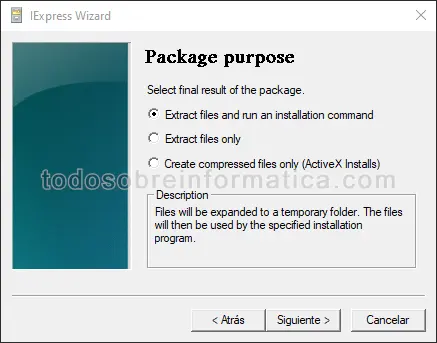
Choose the package purpose
- Extract files and run an installation command: the package extracts to a temporary location and then runs the file selected during package creation.
- Extract files only: it extracts the contents to a chosen folder.
- Create compressed files only: it produces a CAB file; the original wizard labels this option for ActiveX installations.
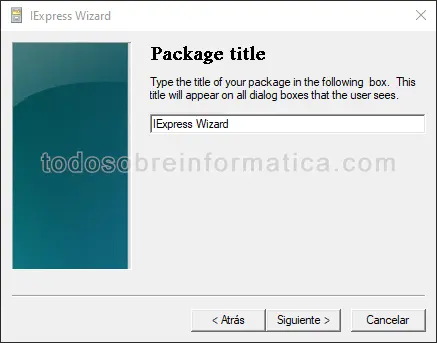
Package title
Enter the title displayed in the package's windows. In the original workflow, this screen appears for the first two package types, not CAB-only output.
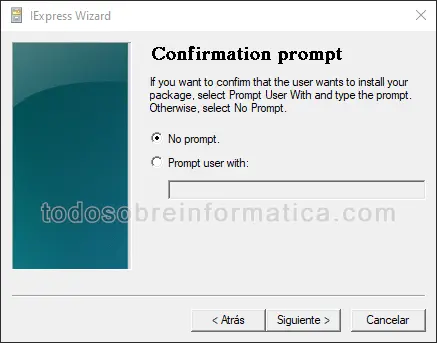
Confirmation prompt
Choose no prompt, or enter a question or message the recipient will read before proceeding. This screen belongs to the first two package types.
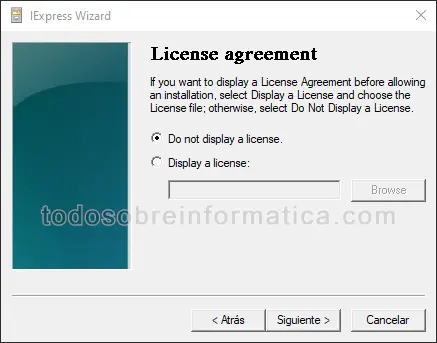
Licence agreement
You can omit the licence display or select a text file containing the agreement that the recipient must accept before continuing. The original guide shows this option for the first two package types.
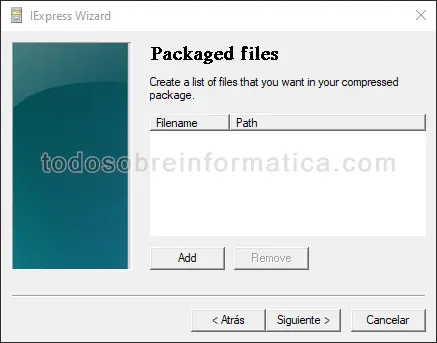
Packaged files
Select all the files to include in the package.
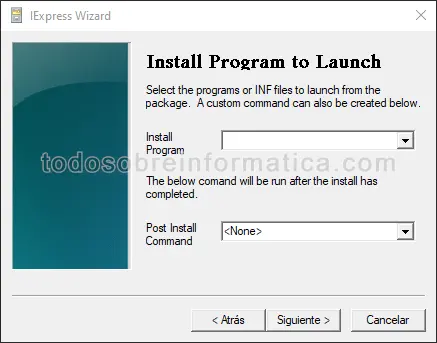
Installation programme and follow-up command
For the extraction-and-installation option, choose the included executable or INF file to run after extraction. The post-install command specifies what runs at the end. Review exactly what these commands do before distributing a package.
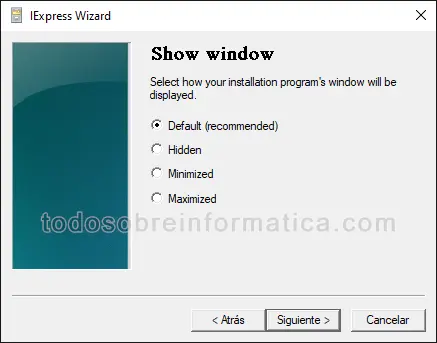
Show window
For the first two package types, choose the displayed window state: default, hidden, minimised or maximised. The wizard marks default as recommended. Hiding a window does not remove the need to tell recipients what the package will change.
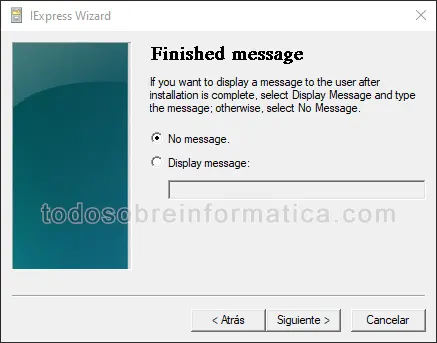
Finished message
Choose no message or write the message to display at the end. The original guide shows this for the first two package types.
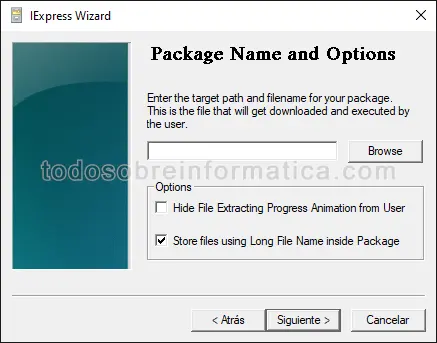
Executable package name and options
For the first two package types, select the output location and executable filename. The illustrated options include hiding the extraction progress animation and storing files using long filenames.
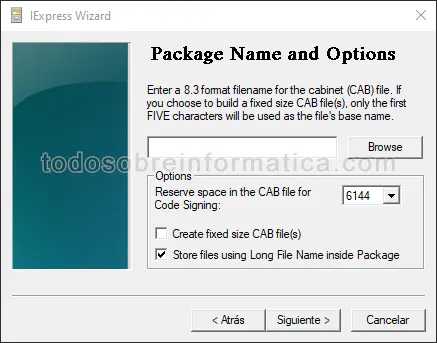
CAB package name and options
For CAB-only output, choose the archive location and name. The wizard offers reserving space for a code signature and creating fixed-size CAB files.
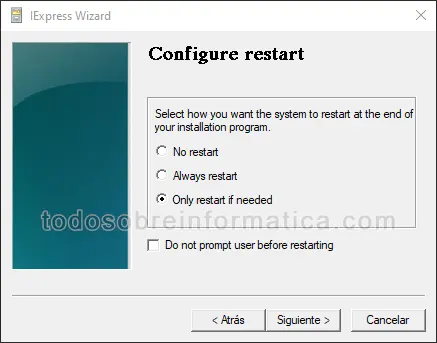
Restart behaviour
For an extraction-and-installation package, choose no restart, always restart or restart only if necessary. The original screen also includes an option not to prompt before restarting. A package can interrupt someone's work, so choose and communicate restart behaviour deliberately.
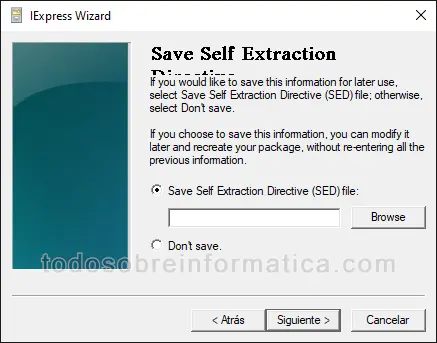
Save the project
Save a Self Extraction Directive (SED) file, choosing its folder and name, if you want to reopen the project later. The alternative shown is not to save it.
Create the package
In the original wizard, selecting Next on the final screen starts package creation. Test your intended package in an isolated environment before sharing it. No package was created or executed to prepare this translation.

Comments (0)
Comments are shown in their original language.
No comments have been published yet. Be the first to join the conversation.