ResolutionFix is presented on this site as a tool for applications whose text looks too small on high-resolution monitors.
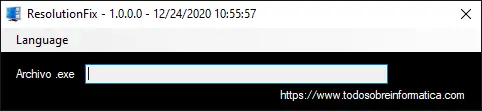
How to use it
- Open ResolutionFix.
- Click the white area or text field to select the application executable — the
.exefile of the application displaying small text. - Press APLICAR (Apply).
This page translates the original instructions. The downloadable program and its interface have not been changed, and this is not a new test of compatibility with every application or Windows version.
Comments (0)
Comments are shown in their original language.
No comments have been published yet. Be the first to join the conversation.