Unwanted calls can interrupt your day, including calls from companies offering products or services you did not request. The original guide mentions banks, phone companies, insurers and healthcare plan providers among the examples.
This illustrated walkthrough shows how to block a number through the contact options on the Android phone used in the original article. The screenshots are in Spanish. Menu names and available options can differ by phone and software version; use the screenshots as a reference, not as a promise of the same interface on every Android device.
1. Create a contact for the number
Enter the unwanted number and tap CREAR CONTACTO (Create contact).
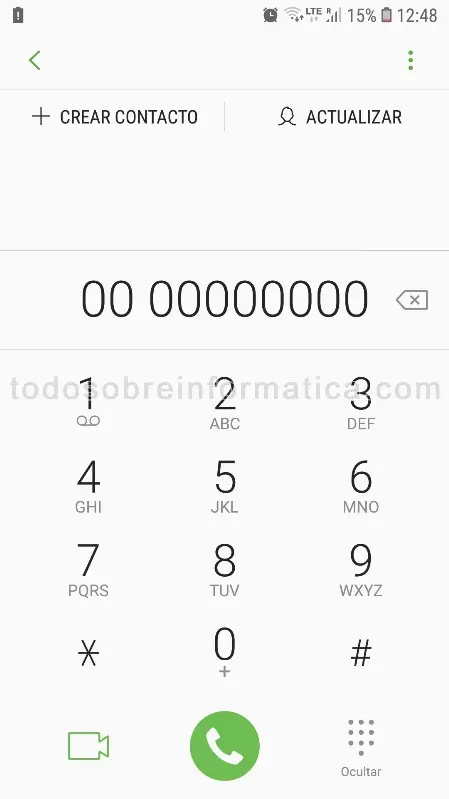
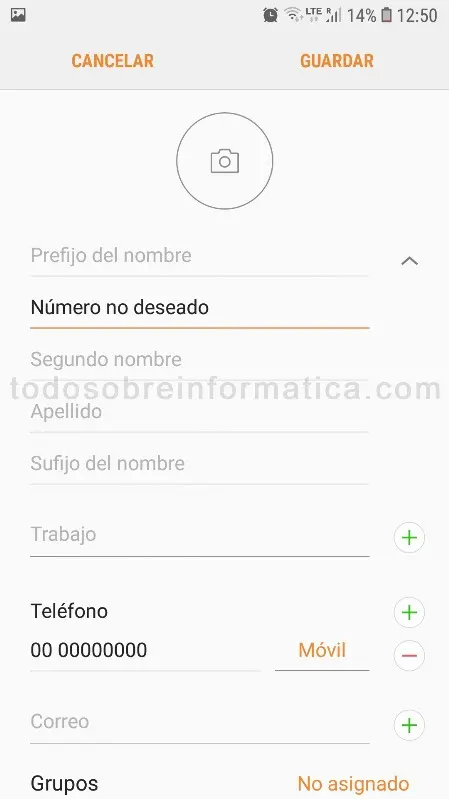
2. Give it an identifiable name
Use a name such as “Unwanted number”, then tap GUARDAR (Save).
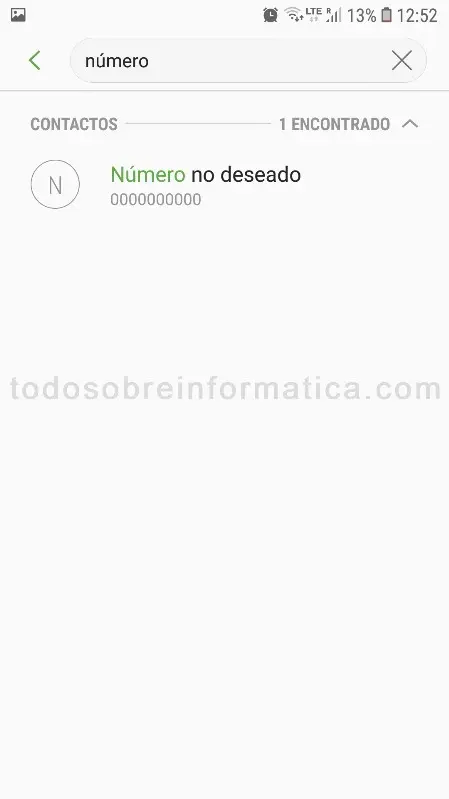
3. Find the contact
Look up the contact you just created.
4. Open the details
Tap the contact to display its options, then tap Detalles (Details).

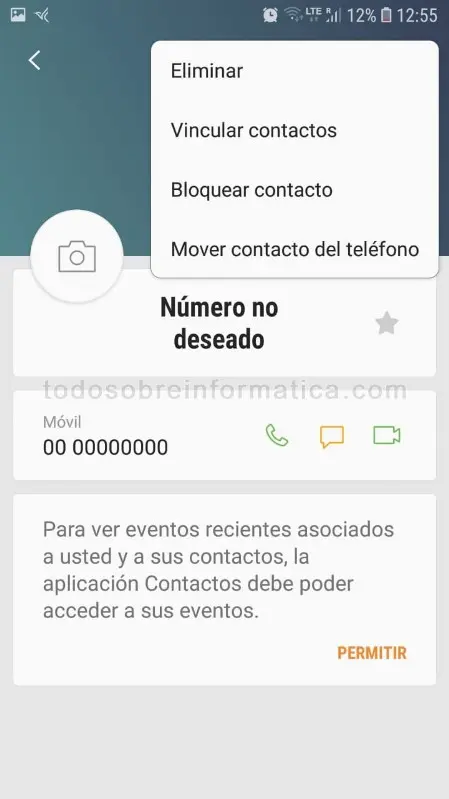
5. Open the menu
Tap the three dots at the upper right, next to COMPARTIR (Share).
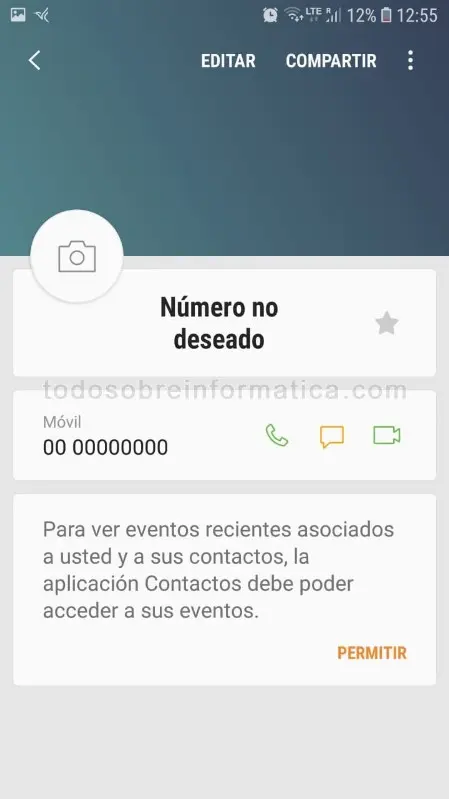
6. Select Block contact
Tap Bloquear contacto (Block contact).
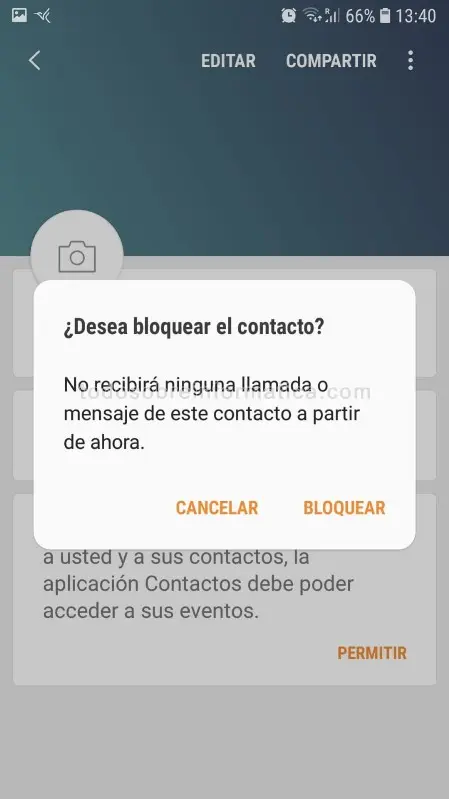
7. Confirm the block
When asked ¿Desea bloquear el contacto? (Do you want to block the contact?), tap BLOQUEAR (Block).
The original guide describes subsequent calls from that number as going to voicemail without ringing the phone. The exact handling can depend on the device and service. Blocking an individual number is not a guarantee that all unwanted calls from other numbers will stop.
We hope this guide helps reduce interruptions. How many unwanted numbers have you blocked? Tell us in the comments.
Comments (1)
Comments are shown in their original language.
Mario · 06-03-2023 18:03 · Argentina
Justo lo que necesitaba. Saludos.
Reply from Todo sobre informática · 21-04-2023 12:31
Hola Mario.
Que bueno.
Saludos.