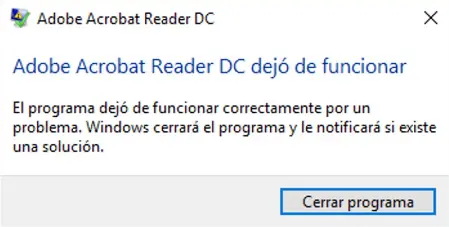
The message The application has stopped working
indicates that a Windows application has failed. The original article explains how to hide the error-reporting window, not how to repair the cause of the crash.
Understand the setting before changing it
Microsoft documents DontShowUI as a Windows Error Reporting REG_DWORD setting: 0 allows the interface, and 1 suppresses it. See Windows Error Reporting settings. Policies and Windows versions can affect the behaviour you see.
Hiding the window does not fix the application. Save your work, record the error and investigate the underlying problem. Before editing the registry, back up the relevant settings and record the original value. Do not change a managed computer's configuration without authorisation.
The original four-step procedure
- Open the Windows Registry Editor.
- Locate the following current-user key:
HKEY_CURRENT_USER\SOFTWARE\Microsoft\Windows\Windows Error Reporting- Locate the
DontShowUIDWORD value. - The original example changes its value from
0to1to suppress the reporting interface.
If that value or key is absent, do not guess at unrelated entries. Check the Microsoft documentation and your system policy before proceeding.
Revert the example change
The source restores the value from 1 to 0. More generally, restore the state you recorded before changing it rather than assuming that every computer originally used the same setting.
Related tool
The original article also mentions HasStoppedWorking as a shortcut for changing the notification setting. Translating this article does not newly test that program or change its executable.
Comments (0)
Comments are shown in their original language.
No comments have been published yet. Be the first to join the conversation.